
Robot credentials
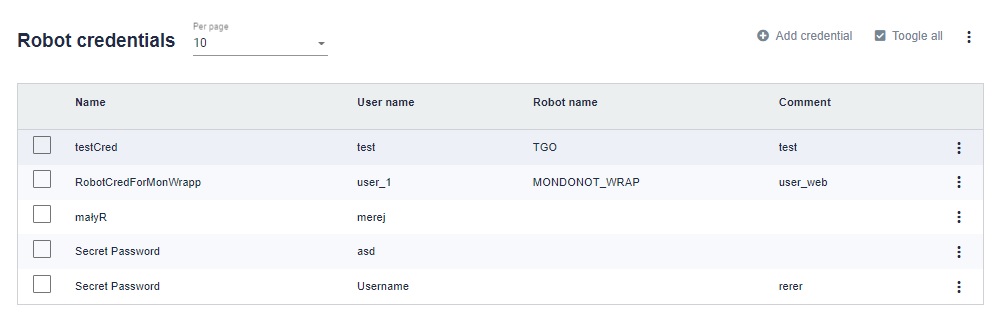
This is where the credentials (login and password) for some external services are stored. These credentials are stored in the Windows Credential Manager.
In the upper right corner there is a button "Add credentials".
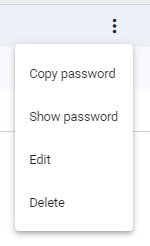
By clicking on the three dots on the right side of a given line, you can copy the password to the clipboard or display it. By clicking Edit you can edit and view the details of the credential. You can click Delete to delete the selected credential.
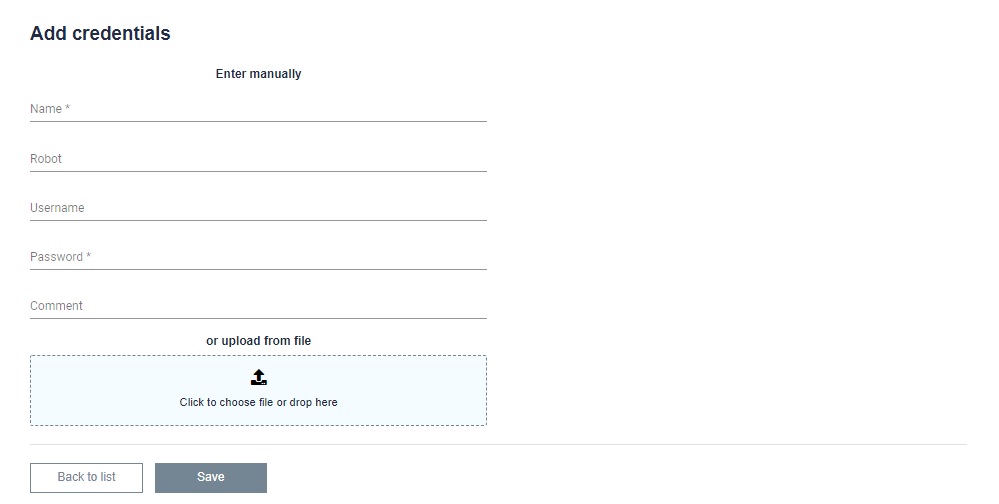
We give it a name for identification. You can restrict access to credentials for a specific robot. Then we provide the username and password which will be stored in the credentials. You can add a description from yourself in the comments field. You can also add a file with the extension * .csv or * .xlsx or * .xls in the provided field. The credentials of one or more users can be stored in this file.