
Roles premissions
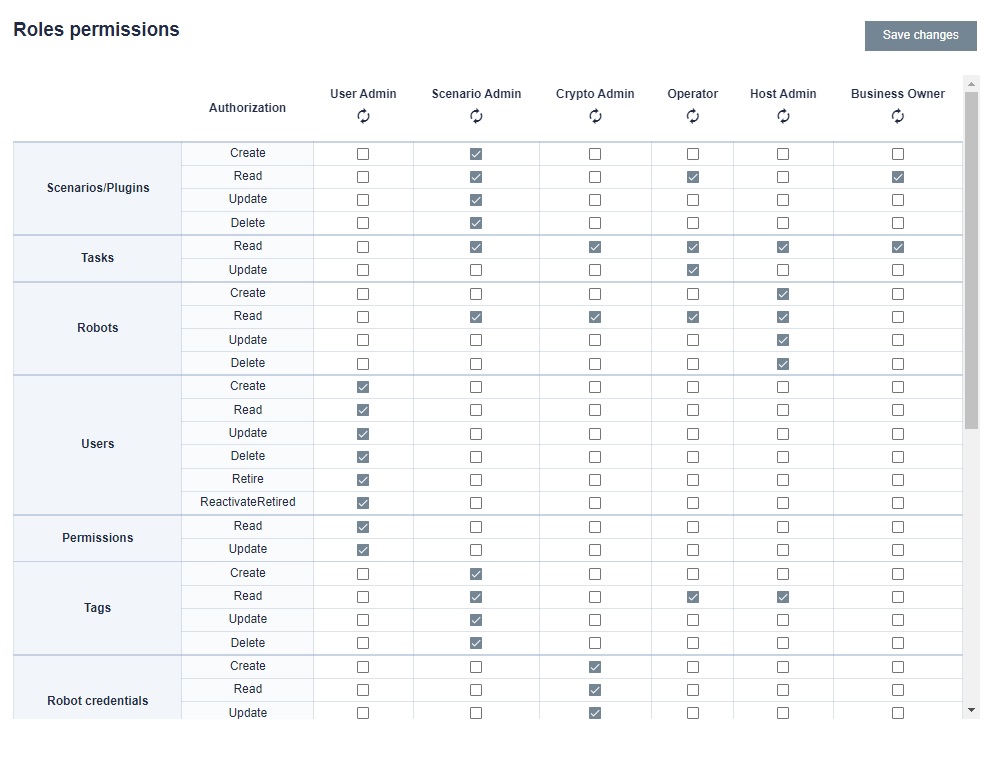
In this tab, we can choose which roles and a set of settings for BCC are to be assigned to a given user. The permissions can be selected by selecting additional check boxes. However, if you want to restore the default settings for a role, press the button under its name. After making changes, click the "Save changes" button.
In the Users tab, we can view User details. To do this, click on the three dots and click Details. We can see details about a given user, roles and permissions within individual categories. At this point, if we want to remove the user's access to BCC, we can block it. To do this, click the button in the upper right corner. This operation can be reversed by clicking again.