
Dashboard
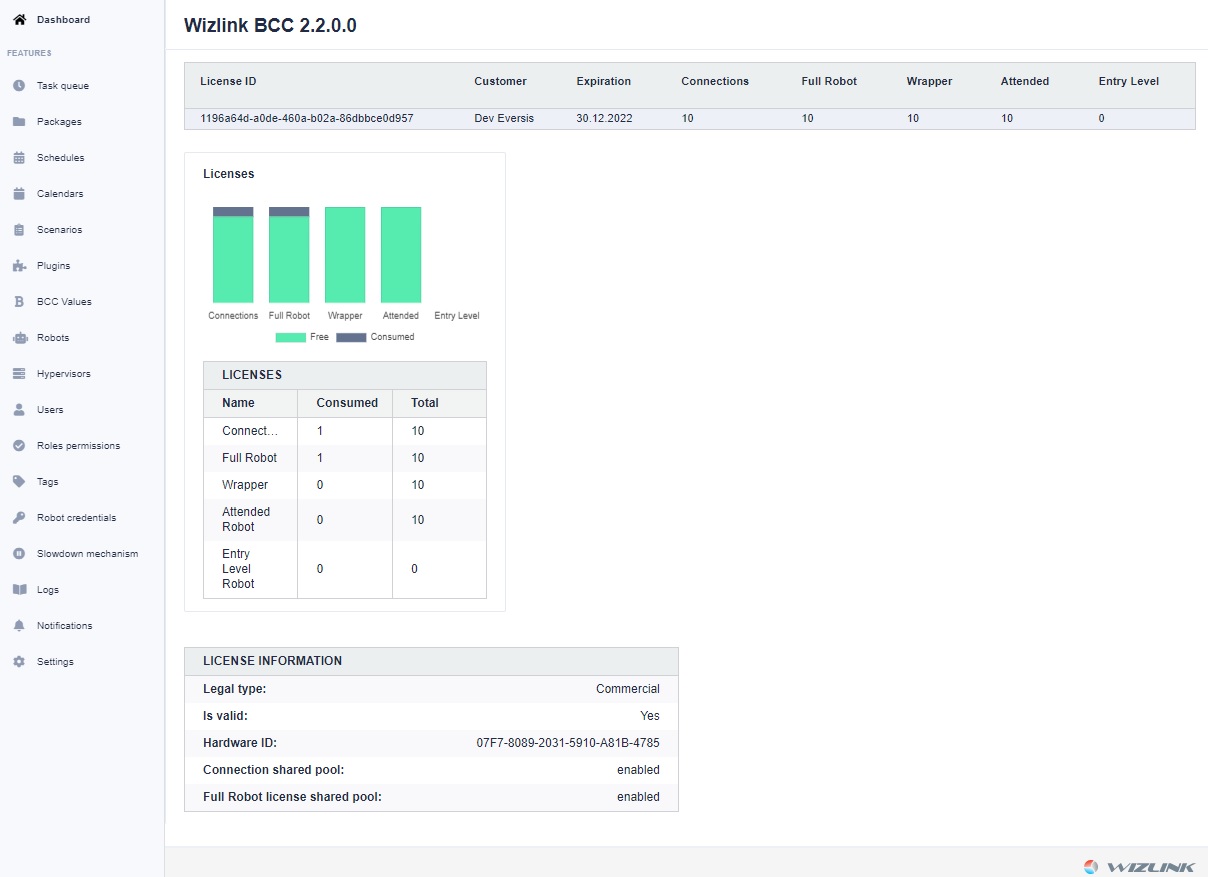
On the main screen, you can see the license ID, all active licenses and their consumption level.
Each license contains several values that define what resources BCC will manage.
The first value is connections. It determines how many clients are able to use BCC resources at the same time. The next values referring to Full Robot, Wrapper, Attended, Entry Level mean how many and what licenses BCC (Bot Control Center) can assign to clients who apply for it. A given client, be it Wizlink Runtime or Designer, can have its own license. It will not then draw from this pool. Similarly, if Wizlink Runtime or Designer is not to work for BCC but only receives a license from it, it will receive it from the spit, but not use the connection license.
The current license consumption for robots is also shown in the dashboard.
On the left side there are buttons for switching to other features.