
Packages
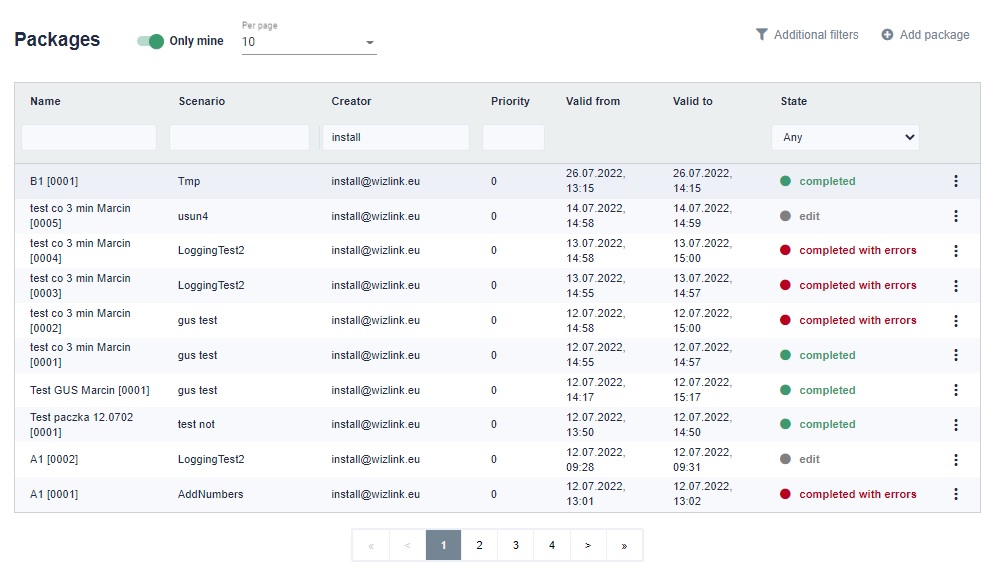
These are task sets based on the same scenario. As part of the package, we must define at least one task. In addition, the package has an expiry date. Both from when and until when. In the "Packages" tab in the upper right corner there will be a "Add package" button.
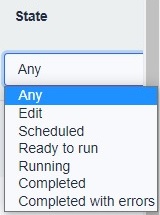
Packages can have the state:
- Any - All states of the package.
- Edit - During creation.
- Scheduled - Waiting for its validity time to start.
- Redy to run - Tasks are waiting for idle robot.
- Running - Tasks of this package are being processed by robots.
- Completed - All taska of this package ended successfully.
- Completed with errors - At least one task of this package failed.
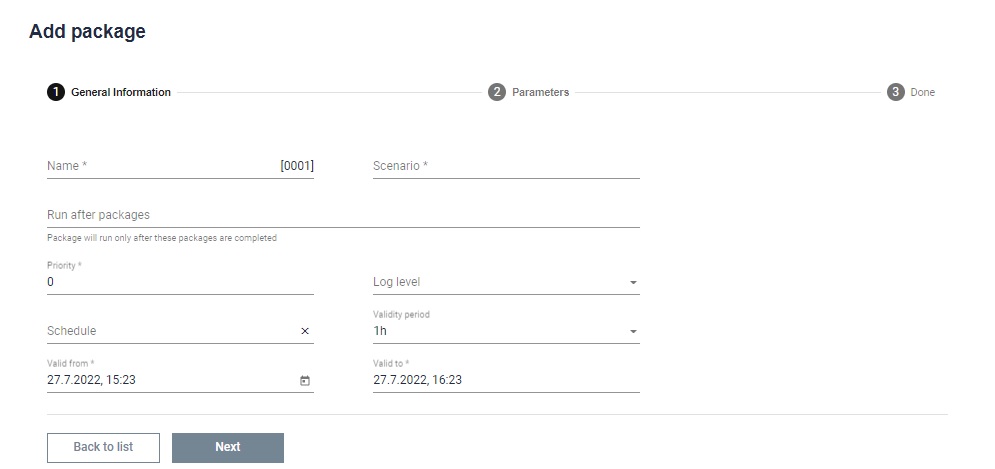
Provide the package name and choose a scenario for it. We can set the scenario to execute after a given packet. Then we can set the priority. We can set the detail level of the logs. We can also assign a package to a specific schedule. Finally, you need to set the date range during which the package can be executed.
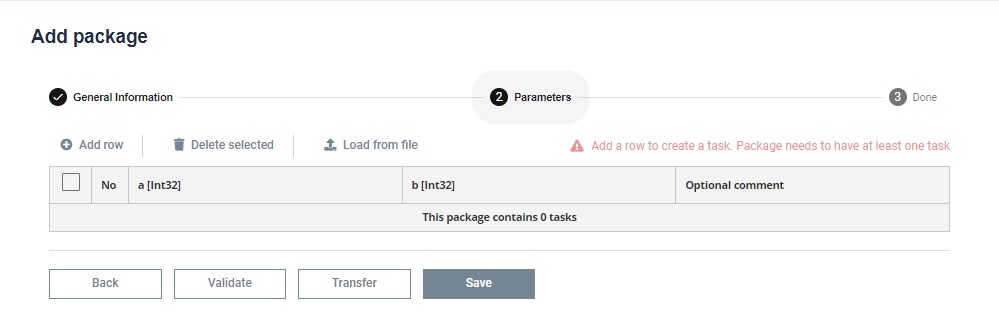
In the next step, add the required number of parameters. This can be done by using the "Add row" button and filling in information about this parameter. You can also add a file with the extension *.csv, *.xlsx or *.xls by clicking the "Load from file" button.